
Introducing Who Sees What
Every Salesforce admin gets the question eventually: “wait, who can actually see this?” And the honest answer is usually “let me get back to you,” because the real answer is spread across profiles, permission sets, roles, public groups, sharing rules, queues, teams, and whatever a managed package quietly granted.
Who Sees What answers it in one place. Connect your org read-only with Salesforce OAuth, and it maps access across all of those layers, then tells you not just who can see a record or a field, but why they can: the profile, the permission set, the sharing rule, the group membership.
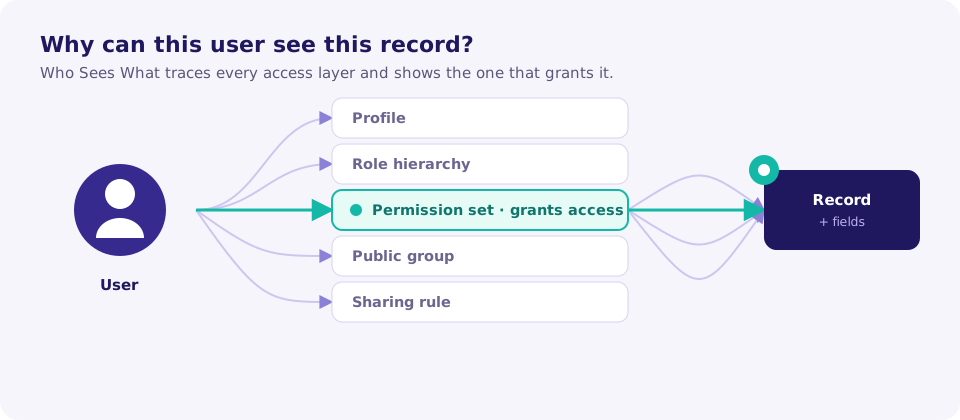
What it does today
- Find profiles and permission sets granting access well beyond the role that needs it.
- Trace who can reach regulated fields, revenue data, and internal-only objects.
- Surface dormant access that outlived the process that justified it.
- Produce an audit-ready report with findings, severity, affected users, and remediation steps.
It reads, it never writes, and it stores no record data. The point is to make access legible, so you can fix the surprising parts before an auditor (or an incident) finds them for you.
What’s next
This blog is where we will share what we learn building a Salesforce access oracle: sharp edges in the sharing model, patterns we keep seeing in real orgs, and how the product evolves. More soon.
Want to try it? Run a quick scan. Have a thought or found a problem? The in-app assistant takes feedback straight to the team.