Overexposed profiles
Find profiles and permission sets granting broad object, field, or system access beyond the role that needs it.
Salesforce permission audit
Expose risky access before auditors, customers, or incident response force the question. Who Sees What scans your Salesforce security model and turns permission sprawl into a prioritized remediation plan.
Safe by design. You authorize access through Salesforce OAuth and revoke it anytime, and we read only your access metadata, never your business-record contents. Read-only today, and it never modifies your org.
Not sure where to start? Ask me anything about Who Sees What.
Powered by Digadop
Ask Horton anything about Who Sees What, or browse at your own pace.
What gets flagged
Salesforce access is spread across profiles, permission sets, groups, roles, sharing rules, queues, teams, and managed-package defaults. The audit connects those layers so teams can answer who can see what, why, and what to fix first.
Find profiles and permission sets granting broad object, field, or system access beyond the role that needs it.
Map who can reach regulated fields, revenue data, customer records, and internal-only objects across every access layer, including field-level security read on its own and relationship-derived record sharing.
Surface users, groups, and assignments that still carry meaningful access after the business process moved on.
Produce a concise report with findings, severity, affected users, and the exact grant behind each one, so your admin team knows what to fix.
What nothing else answers
Salesforce Setup, Health Check, and the posture platforms tell you how the org is configured. None of them answer who can actually reach this data, or get it out. These five views do, and they are the reason teams keep Who Sees What after the first audit.
The bulk-egress report: every user who holds Export Reports, View All Data, API Enabled, or the other permissions that let data leave the org, and the exact profile or permission set granting it.
Risks are traced through what actually touches the object: Apex, Flows, Visualforce, and cross-object formulas that republish a value past its own field-level security. You see the dependency, not just the symptom.
Fields are ranked by how sensitive they are, so a widely-readable national ID rises above a widely-readable industry code. You triage the exposure that matters instead of a flat alphabetical list.
Every connected app and live OAuth authorization in the org, with the scopes it holds and whether it is still in use. Integrations bypass the sharing model, and most orgs have never inventoried them.
Org-wide findings for the dangerous permissions concentrated in too many hands, and for privileged access that outlived the person or process it was granted for.
What you get
Every scan produces a prioritized exposure report: findings ranked by severity, the users and metadata affected, and the specific grant to fix. Take it with you as CSV, as a multi-sheet Excel workbook, or as a print-ready PDF. Here is the shape of it.
Illustrative example. Your report reflects your org.
See it in action
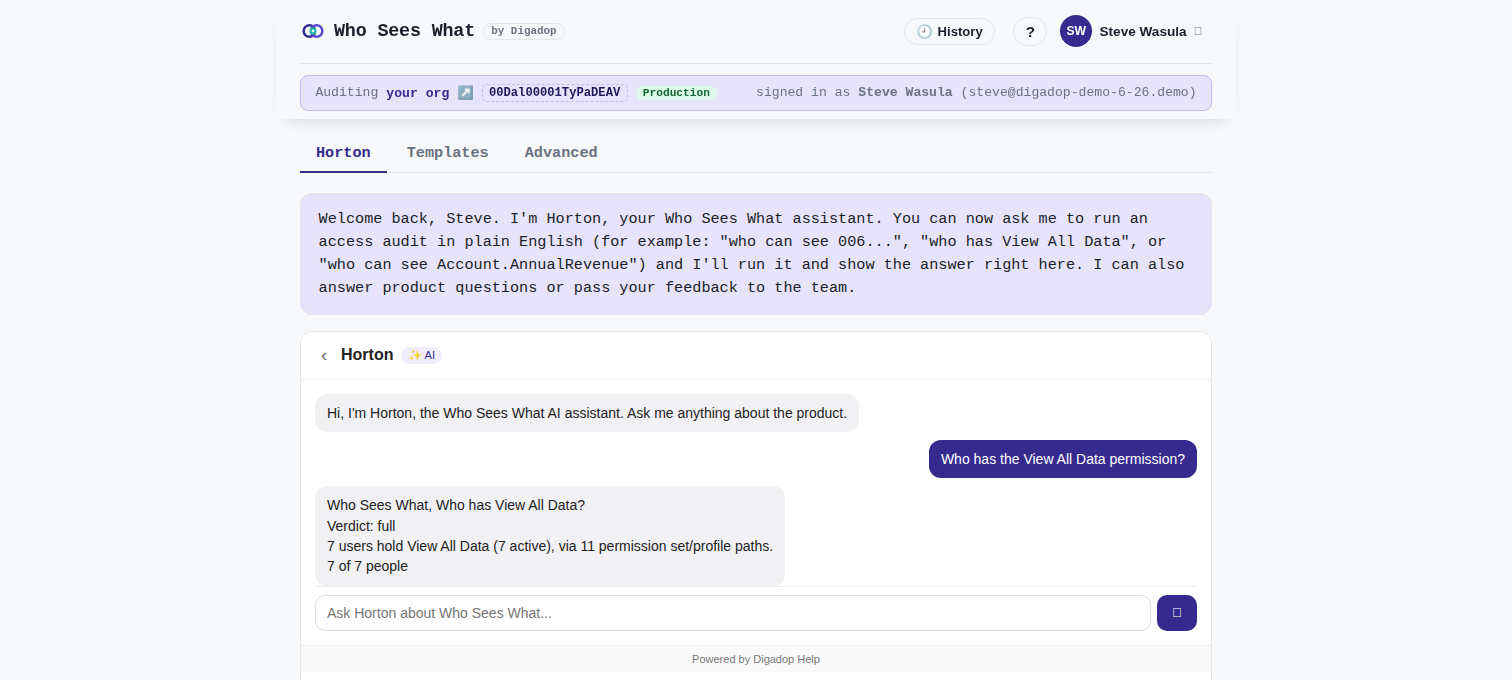
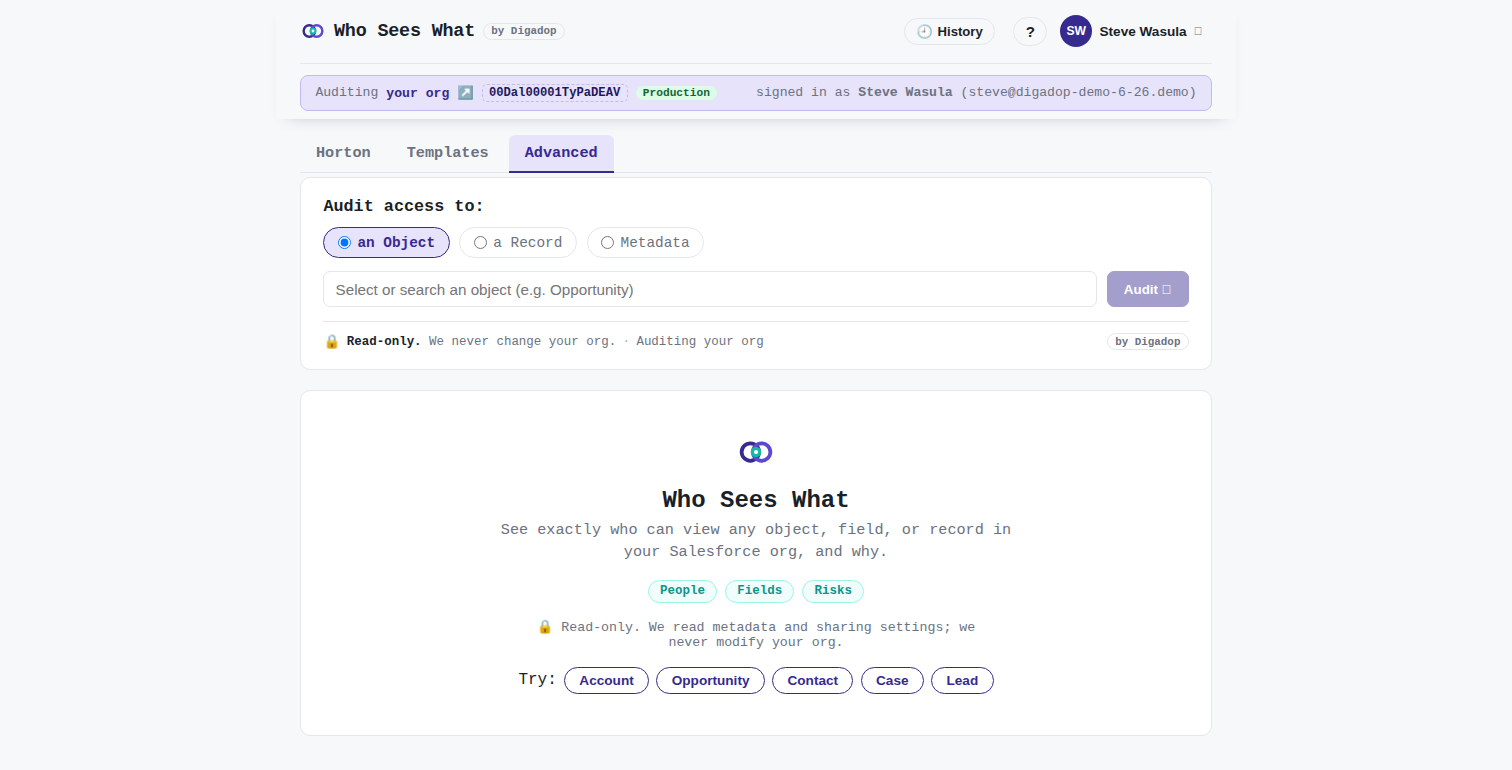
Two ways to get an answer, both read-only against your org and both showing the reason behind every result: ask Horton in plain English, or build a precise audit by hand. Horton reads your org's own schema to work out which object you meant, finds records by name instead of making you paste an Id, and when you ask for a person it carries the whole conversation across so you never have to retype your problem.
How it works
Connect Salesforce with read-only OAuth.
Scan metadata, permission sets, groups, profiles, roles, and sharing rules.
Receive a prioritized exposure report with the reason behind every finding.
Security
Protecting your data is the whole job, and it is engineered into how Who Sees What is designed, authorized, and operated. Here are the controls that keep it safe. The full specifics are on our trust pages.
Who Sees What requests only what its audit needs, through standard Salesforce OAuth. No password is shared. It is read-only today and never writes to your org.
You connect the org and choose what to enable, and you can revoke access from Salesforce Connected Apps at any time. Disconnect in one step and we delete the audit data we hold for your org.
Only access configuration: profiles, permission sets, roles, groups, sharing rules, and field-level security. The metadata that decides who can see what.
Your business-record contents. We never read or store the data inside your Accounts, Opportunities, or custom objects, only how access to them is configured.
Tenants are isolated with org-scoped access and row-level security, stored credentials are encrypted with AWS KMS, and the audit is computed by deterministic analysis you can re-run. Your data is never used to train models that benefit other customers.
Details: Data scope · Privacy · Revoke access · Terms.
Nothing to install, and you stay in control. You authorize access, and we read only your access metadata, never your business-record contents. Connect your org and get an initial risk snapshot in under five minutes.